Compliance Overview
Below I am going to expand upon how the requirements for the website were met.
Page Requirements
Below I will outline the contents for each page used in the project.
Introduction
I ensured to include the OS/Cloud logo, my name, student ID, and a brief overview in the form of a button that will take the user to a short Youtube video.
History
Covered the origins and key development milestones, supported with images and inline Harvard citations.
I wanted to paint a story that users could relate to; making the business model easier to understand.
Unique Features
Highlighted the OS/Cloud Service’s technical qualities with diagrams and descriptive text.
I wanted to locate what made Concur stand out from it’s competitors.
Market Statistics
Explained the trends in the current industry Concur finds itself within and highlighted differences with competitors through use of self-made graphs and an assortment of images.
Pros & Cons
I wanted to be concise in my wording regarding this section.
Utilising bullet-point comparison focusing on real-world usage and focusing on pulling real user experiences.
Conclusion
I wanted to be concise and to the point regarding the conclusion, whilst also fairly expanding upon my own opinions on what Concur does right and wrong equally.
References
I made effort to ensure proper Harvard-style citation and bibliography with matching inline citations were utilized.
Plug-in use.
Below I will explore and explain my choice of plug-in use.
Max-mega menu plugin
To provide users with ease of access that was easy on the eyes; I utilized the max-mega menu plug-in ; which allowed for multiple customisation options and ease of creation as it automatically assigned each page of the project to a menu item with a drag and drop system to easily organise order of the menu display.
wpforms plugin
The WPforms plug-in made the process of creating a user-contact form extremely simplified; with drag & drop elements that allowed me to easily select what I wanted to implement.
The inclusion of a contact form was to help with user immersion when roaming the website.
Kubio plugin

The biggest reason for utilisation of the Kubio plug-in was in relation to it’s full responsive design; without having to manually go through the motions it fully automated the process of adapating the website for phone, tablet and PC layout.
As a beginner; the drag & drop alongside some of the read-made templates gave me much more choice for creating webpages.
cookie-yes plugin
In order to give the website a more authentic feel; I used the ‘Cookie-yes’ plug-in, which provides users the option to accept, decline or customise the websites cookies.
Showing users the website complies with the EU Cookie Law / GDPR.
Image hub plugin

A simple plug-in I implemented to give me ease of access in relation to sourcing images; the tool provides an open gallery where you can find images of choice by inputting a keyword.
Independent analytics plugin
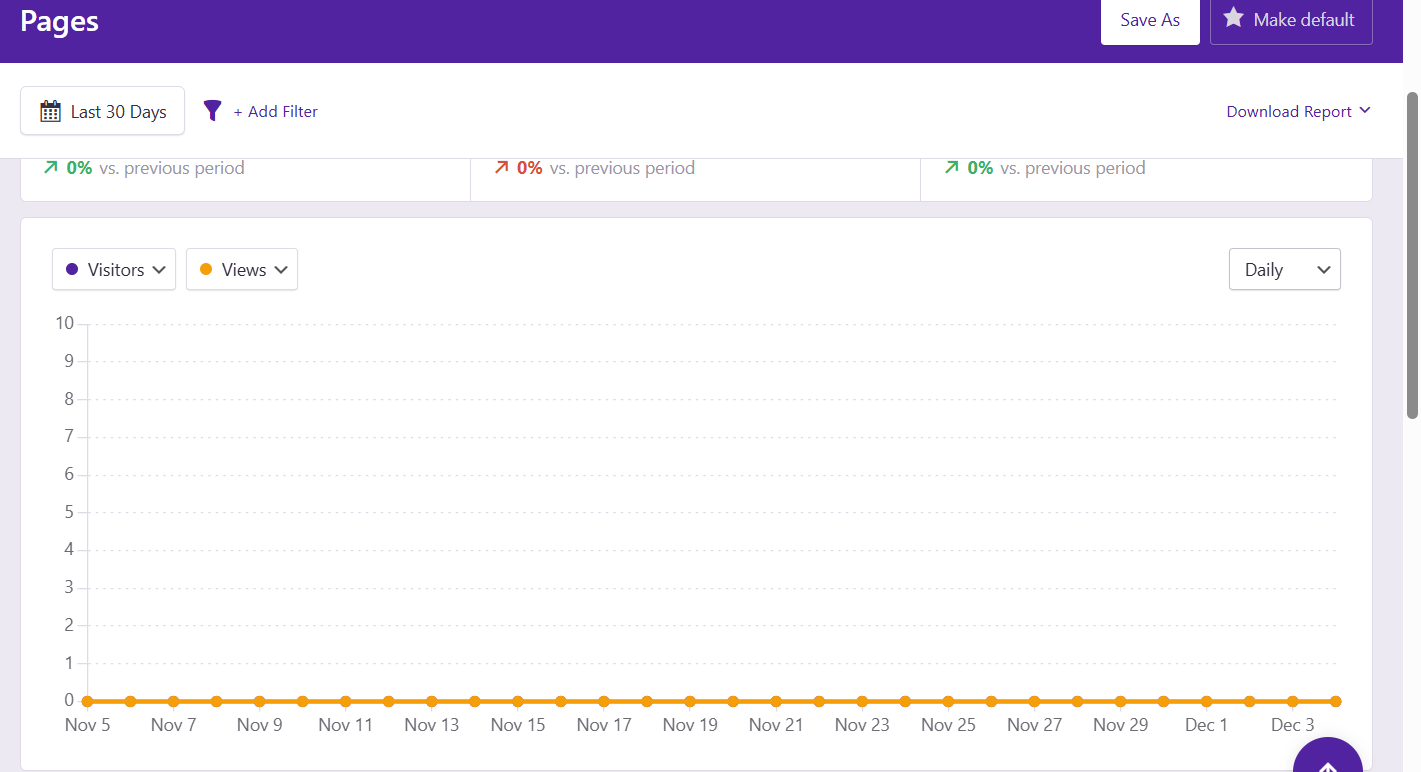
A simple analytics tool for tracking number of visitors, views, average session time etc.
Better search replace plug-in
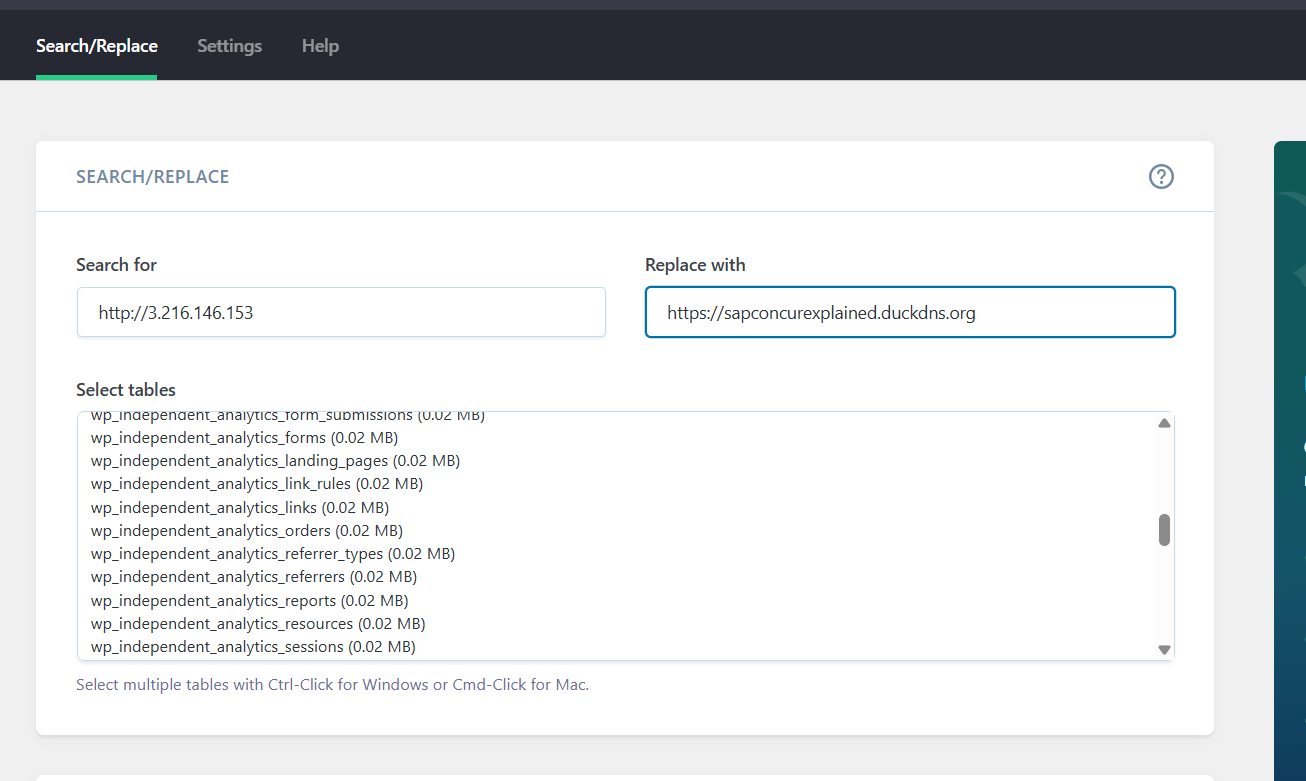
After establishing my websites domain name using DuckDns, there was an issue with the Cookie’s banner loading upon every single page clicked/loaded in the website, I felt this would impact user experience.
After switching the website to HTTPS; I utilized the BSR plug-in to update all video’s and images to the updated website URL.
Independent analytics plugin
A simple analytics tool for tracking number of visitors, views, average session time etc.
Widget Inclusion
Below I will outline the variety of widgets I included on the project to improve UI and visual aspects of the project.
Images
I wanted to use a large variety of visual queues pertaining to the project topic.
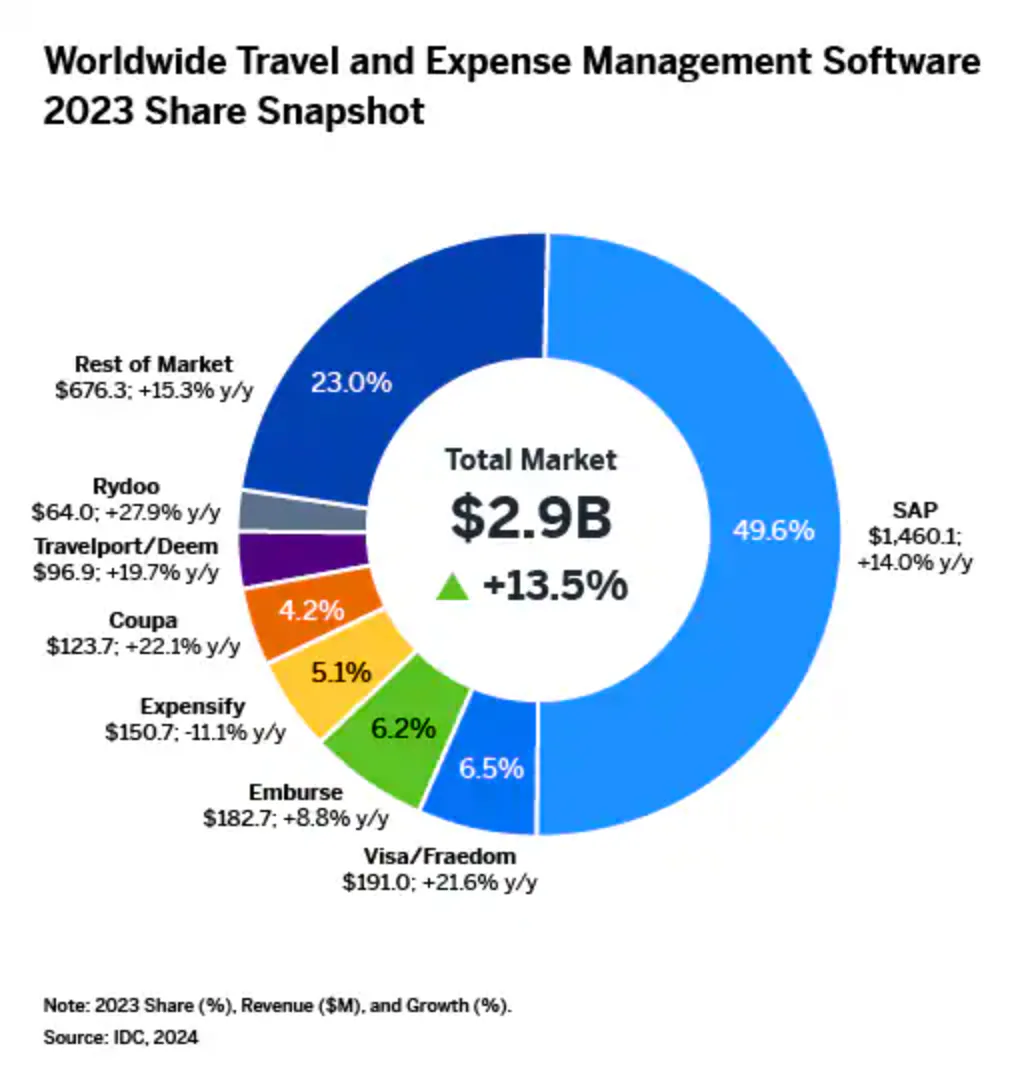
I found difficulty in location photo’s directly pertaining to Concur beyond brand logo’s so I opted to use photo’s that I felt fit the overall theme of the website (office workers, invoices etc.)
Videos
Videos were used in place of topics that I believed too cumbersome to expand on in the moment; such as the outline of SAP Concur on the introduction page.
I also utilized video footage to further implement a point being made, such as the Bloomberg interview located on the History page.
Graphs
Specifically for the market statistics section of the website; which can be very number heavy and hard to read/understand for some users.
I opted to create graphs to visualise points that were being explained, I did so through the website ‘chartGo’.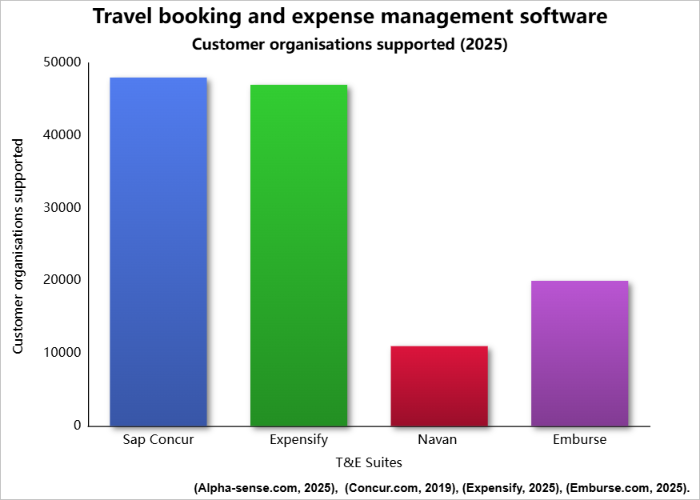
links/buttons
Again, similarly to the point on video usage; I wanted to avoid information being to cumbersome for users.
I made a point to utilize links within text and through buttons where possible, to include an aspect of interactivity.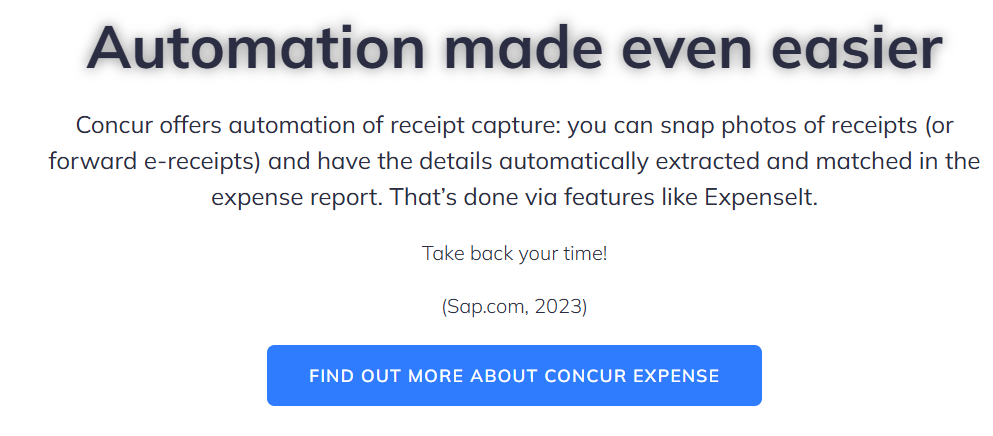
I specified for links to open on new windows to prevent users from losing their place in the website.
Spacers
I used the drag-and drop ‘spacer’ widget in order to improve the layout of pages and make text more easily digestible without the user feeling overwhelmed.
Scroll-up Widget
I found particularly when roaming the website on mobile; the act of scrolling all the way to the bottom then all the way back up became tedious.
To improve User experience for the website I included a prompt at the bottom of each page with the prompt ‘scroll up’ which will automatically take a user to the top of whatever page they find themselves in
Focus of effort
My main aim was to create a website that can communicate a large and wide variety of information whilst simultaneously not being overly cumbersome.
I wanted users to feel a level of interactivity and authenticity from the website.
Some of my main focuses of effort were as follows:
Creation of website domain name
As part of giving my website a more authentic and polished identity, I wanted users to be able to access it through a dedicated domain name rather than an IP address. To achieve this, I used DuckDNS, a free dynamic DNS service, and linked it to my AWS-hosted webserver.sapconcurexplained.duckdns.org
The steps needed to create my website domain:
- Setting up the DuckDNS Domain
- Assigning the AWS server’s public IP
- Verifying server access via IP
- Configuring the EC2 security group
- Checking Apache configuration
- Domain testing and DNS propagation
Issue faced
After establishing the domain name; I quickly realized that my website had an issue, the previously set up “cookie-yes” plug-in which was supposed to improve user experience was inserting itself onto every single page of the website; completely ignoring if a user had accepted or rejected it already.
After conducting some investigation, I realised the issue was being caused by the ‘HTTP’ address that was introduced upon creation of the domain and not an issue with the plug-in itself.
RESOLUTION
I was able to switch my site over to a ‘real’ domain, using ‘LetsEncrypt’ on my EC2 instance; to swap it to HTTPS, giving the website that digital security badge, this resolved the issue with the Cookie banner.
However after updating the website URL; a number of images and videos went blank; after some online research I discovered that this was due to the URL change; I used the Better Search Replace plug-in in order to update all images and videos to the new website URL; which had everything loading as intended.
Design of website
As outlined above; I wanted the website to be engaging to users but also to have a professional feel.
I spent hours watching videos and reading articles online of the best plug-ins to get the most out of creativity with website creation and how to implement them.
UI
The UI of the website was admittedly a pain point during the initial period of this project.
I spent hours attempting to implement plug-ins such as elementor or ‘responsive menu’ that for some reason were not compatible with the website theme I had chosen.
Having easily accessible menu’s and assets such as contact forms were, in my eyes, essential for a website of this nature.
Original Diagrams
Whilst I wanted there to be many visual elements on the website I didn’t want to over-rely on online image sources.
I made effort where possible to add my own ‘touch’ to visual displays such as the Graph pictured in the previous title.
Videos such as this were instrumental in guiding me toward plug-ins such as Kubio; which allowed me to enhance my Sites UI (Youtu.be, 2025).